

Get to know ProjectWise, Powered by iTwin
Project delivery has never been more complex. Move beyond engineering work-in-progress to digital delivery for more efficient, collaborative, and sustainable infrastructure design.
Take advantage of digital twins and Bentley’s infrastructure schemas to leverage data across projects, maximize insights, learnings, and reuse from previous projects. With new tools to make the most of your data, ProjectWise makes it easy to innovate without disruption in the face of today’s complexities.
- Digital Design Delivery
-
“ProjectWise, powered by iTwin, provides a proven foundation in WSP’s drive to digital delivery. The evolution of ProjectWise to data centric workflows enabling advanced civil validations is helping WSP to win more business and deliver better projects.”
– Thomas Coleman, WSP
DIGITAL DESIGN DELIVERY
Supercharge your adoption of 3D digital design workflows leveraging the work you’re already doing. Evolve to a data-centric approach, taking advantage of digital twins and Bentley’s infrastructure schemas. Level up your deliverables, differentiate yourself with higher quality designs, and unlock new business opportunities.
- Create and synchronize digital twins during design and mobilize your data across the design lifecycle.
- Leverage the power of your data to deliver IoT ready deliverables.
- Use Bentley’s Infrastructure Schemas to align data from multiple disciplines.
- Improve design quality and bring real world context to your project by combining engineering and reality data in your models.
- Minimize project risk and resolve design issues with collaborative interdisciplinary design reviews.
- Explore new analysis options to meet client sustainability and carbon requirements.
- Portfolio Intelligence
-
“Since January 2020, component reuse with ProjectWise Components Center within Mott MacDonald’s Moata Intelligent Content, has delivered a total 158,000 hours of project delivery time saved. This equates to 21,000 days or 84 years of time that has been saved, allowing project teams to utilise this time elsewhere – this with only 623 users. Expansion of usage is planned.”
– Darren Russell, Chief Digital Officer, Mott MacDonald
PORTFOLIO INTELLIGENCE
Unleash the power of your intellectual property. Data-driven portfolio intelligence enables you to dramatically increase the efficiency, safety and quality of future projects, industrializing project delivery.
- Use intuitive searching and flexible hierarchies to easily find what you’re looking for across your portfolio. You can only learn from and reuse what you can find.
- Reduce design time from days to hours using cloud-based digital component management and library services.
- Drive standardization, automation, and the reuse of design objects for better quality designs
- Implement contextual best practices with workflows and templates fit for purpose to drive the standard use of your best practices.
- Leverage data across your portfolio to glean insights which can be used to develop new business models.
- Data Governance
-
“Bentley Project Delivery solutions help us capture and communicate quality-assured project information from and throughout the wider supply chain, ensuring delivery decisions are always well-informed and supported by full traceability. Delivering projects these days without these solutions to coordinate supply chain info would be unthinkable.”
– Harry Parnell, FICE FCInstCES, Head of Digital Delivery,
Balfour Beatty Major Projects & HighwaysDATA GOVERNANCE
Your data is the essence of your organization. You generate mass amounts of data with your modern design tools and processes. Ensure your complex project team has secure access to the right information at the right time with extended data governance.
Secure the Value of Your Data with ProjectWise, Powered by iTwin
- Govern and deliver project information based on roles to ensure consistency within fluid teams.
- Safeguard your data with secure federated login that controls access to information based on user identity.
- Collaborate with supply chain partners using clearly defined data access and tasks lists.
- Enforce industry and project standards such as ISO19650 with automated graphical workflows.
- Manage data updates with smart workflows and templates that ensure information is filed correctly.
- Engineering WIP
-
“Our use of ProjectWise, combined with other Bentley tools and support, formed needed building blocks that allowed for timely digital delivery on the TH 169 Redefine project for the Minnesota Department of Transportation (MnDOT) and lays a foundation for future digital deliveries and industry success.”
– Jon Chiglo, Chief Operating Officer, WSB
ENGINEERING WIP
Without a built-for-purpose management solution, engineering work-in-progress (WIP) is susceptible to communication breakdowns, frequent delays, and costly rework. ProjectWise has been a leading solution to these challenges for over 20 years, and Bentley affirms its commitment to best-in-class infrastructure engineering WIP with more intuitive and integrated ProjectWise capabilities than ever.
- Simplify collaboration with integrated co-authoring of Microsoft 365 documents.
- Establish design consistency across dispersed project teams with reference file management.
- Maintain project standards with managed workspaces.
- Position your firm for an easy transition to digital delivery.
- Ensure compliance with BIM requirements throughout the design process with change log history and a fully traceable audit trail.
“ProjectWise, powered by iTwin, provides a proven foundation in WSP’s drive to digital delivery. The evolution of ProjectWise to data centric workflows enabling advanced civil validations is helping WSP to win more business and deliver better projects.”
– Thomas Coleman, WSP
DIGITAL DESIGN DELIVERY
Supercharge your adoption of 3D digital design workflows leveraging the work you’re already doing. Evolve to a data-centric approach, taking advantage of digital twins and Bentley’s infrastructure schemas. Level up your deliverables, differentiate yourself with higher quality designs, and unlock new business opportunities.
- Create and synchronize digital twins during design and mobilize your data across the design lifecycle.
- Leverage the power of your data to deliver IoT ready deliverables.
- Use Bentley’s Infrastructure Schemas to align data from multiple disciplines.
- Improve design quality and bring real world context to your project by combining engineering and reality data in your models.
- Minimize project risk and resolve design issues with collaborative interdisciplinary design reviews.
- Explore new analysis options to meet client sustainability and carbon requirements.
“Since January 2020, component reuse with ProjectWise Components Center within Mott MacDonald’s Moata Intelligent Content, has delivered a total 158,000 hours of project delivery time saved. This equates to 21,000 days or 84 years of time that has been saved, allowing project teams to utilise this time elsewhere – this with only 623 users. Expansion of usage is planned.”
– Darren Russell, Chief Digital Officer, Mott MacDonald
PORTFOLIO INTELLIGENCE
Unleash the power of your intellectual property. Data-driven portfolio intelligence enables you to dramatically increase the efficiency, safety and quality of future projects, industrializing project delivery.
- Use intuitive searching and flexible hierarchies to easily find what you’re looking for across your portfolio. You can only learn from and reuse what you can find.
- Reduce design time from days to hours using cloud-based digital component management and library services.
- Drive standardization, automation, and the reuse of design objects for better quality designs
- Implement contextual best practices with workflows and templates fit for purpose to drive the standard use of your best practices.
- Leverage data across your portfolio to glean insights which can be used to develop new business models.
“Bentley Project Delivery solutions help us capture and communicate quality-assured project information from and throughout the wider supply chain, ensuring delivery decisions are always well-informed and supported by full traceability. Delivering projects these days without these solutions to coordinate supply chain info would be unthinkable.”
– Harry Parnell, FICE FCInstCES, Head of Digital Delivery,
Balfour Beatty Major Projects & Highways
DATA GOVERNANCE
Your data is the essence of your organization. You generate mass amounts of data with your modern design tools and processes. Ensure your complex project team has secure access to the right information at the right time with extended data governance.
Secure the Value of Your Data with ProjectWise, Powered by iTwin
- Govern and deliver project information based on roles to ensure consistency within fluid teams.
- Safeguard your data with secure federated login that controls access to information based on user identity.
- Collaborate with supply chain partners using clearly defined data access and tasks lists.
- Enforce industry and project standards such as ISO19650 with automated graphical workflows.
- Manage data updates with smart workflows and templates that ensure information is filed correctly.
“Our use of ProjectWise, combined with other Bentley tools and support, formed needed building blocks that allowed for timely digital delivery on the TH 169 Redefine project for the Minnesota Department of Transportation (MnDOT) and lays a foundation for future digital deliveries and industry success.”
– Jon Chiglo, Chief Operating Officer, WSB
ENGINEERING WIP
Without a built-for-purpose management solution, engineering work-in-progress (WIP) is susceptible to communication breakdowns, frequent delays, and costly rework. ProjectWise has been a leading solution to these challenges for over 20 years, and Bentley affirms its commitment to best-in-class infrastructure engineering WIP with more intuitive and integrated ProjectWise capabilities than ever.
- Simplify collaboration with integrated co-authoring of Microsoft 365 documents.
- Establish design consistency across dispersed project teams with reference file management.
- Maintain project standards with managed workspaces.
- Position your firm for an easy transition to digital delivery.
- Ensure compliance with BIM requirements throughout the design process with change log history and a fully traceable audit trail.
Flexible Features for Your Users
Across your dispersed teams and projects, having access to the right role-based capabilities and data can mean the difference between delivering on time or falling behind.
ProjectWise delivers flexible capabilities and features based on three common user types:
Manage
For your project team and partners to manage collaboration on documents and insights.
Engineer
For your engineers and designers to collaborate while creating infrastructure models.
Validate
For your engineering leaders that need the most advanced validation and analysis capabilities.
| Capabilities | Manage | Engineer | Validate |
| Documents: Store documents with version control, attribution, and audit trails, print/plot CAD files, and documents | X | X | X |
| View: Participate in hybrid (document/BIM/digital twin) workflows, view documents, dashboards, and iTwins, view/approve issues, access/view PW Design Integration content | X | X | X |
| Correspondence: Deliverables, manage transmittals, RFI, and general correspondence | X | X | X |
| Design Integration: CAD-connected design application integration services, enterprise rules-driven engineering WIP, PW engineering desktop | X | X | |
| Digital Twin Design: Create issues with PDF or 3D markup, initiate forms-based workflows, component center catalog access | X | X | |
| Digital Twin Validation: Create multi-discipline, federated design reviews, BIM data checking, clash detection, version compare, data viz, and advanced civil tools | X | ||
| Insights: Understand project and portfolio insights, author dashboards | X |
Infrastructure Design Scalable to Any Size Organization
ProjectWise
Built for any size infrastructure design organization. Advance your design portfolio and digital project delivery with a comprehensive, standardized solution, Bentley’s success services, and the most innovative functionality.
- Digital Design Delivery
- Portfolio Intelligence
- Data Governance
- Engineering Work-in-progress
Contact Us
*Prices vary per region. For more options, see licensing and subscriptions section.
Bentley Infrastructure Cloud
Powered by iTwin
Manage and visualize project, construction, or asset information in 2D, 3D, and 4D so that you can improve tracking of project performance or operational behaviors and make better, faster, data-driven decisions.
This enterprise-wide set of solutions (ProjectWise, SYNCHRO, and AssetWise) spans the end-to-end lifecycle and value chain of the world’s infrastructure helping you create, deliver, and operate complete and evergreen digital twins.

Bentley Infrastructure Cloud
Powered by iTwin
Manage and visualize project, construction, or asset information in 2D, 3D, and 4D so that you can improve tracking of project performance or operational behaviors and make better, faster, data-driven decisions.
This enterprise-wide set of solutions (ProjectWise, SYNCHRO, and AssetWise) spans the end-to-end lifecycle and value chain of the world’s infrastructure helping you create, deliver, and operate complete and evergreen digital twins.
FEATURED USER STORIES
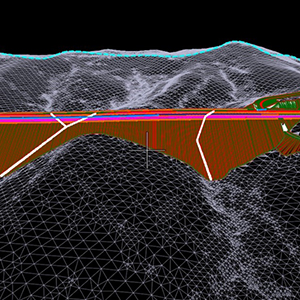
GAI
Productivity and Collaboration Improvement
Increased data accessibility results in substantial efficiency optimization to meet infrastructure project demand.
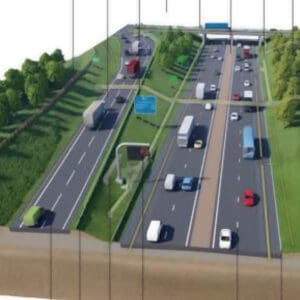
Sweco
Saves 10% in Project Efficiency across its Global Projects
A connected, digitalized approach with ProjectWise consistently drives better outcomes.
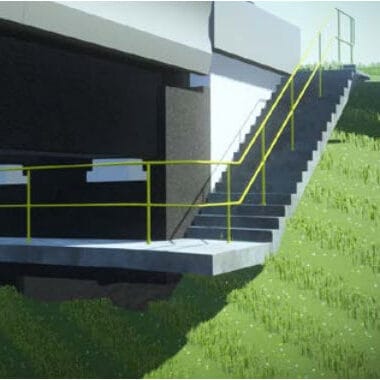
Hatch
Hatch Designs a New Bridge to Support Economic Development
The digital design environment accommodated the client change requests, saving time and money.
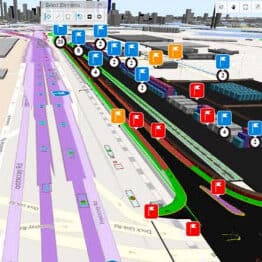
WSP
Melbourne’s Port Rail Transformation Project
Leveraging digital twins provided a single source of truth, saving 475 hours and AUD $43,500.
WSB
Increased Access with Expansion
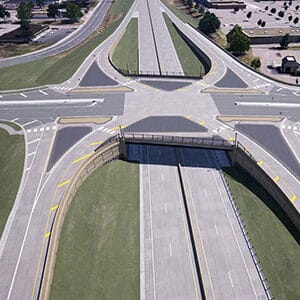
The team saved USD 12 Million on the freeway conversion by using Bentley’s digital civil workflows.
Jacobs
Visualize Existing Conditions and Reduce Modeling Time
Using a federated model and connected data environment, improved collaboration and facilitated 20 design decisions, saving 300 hours of modeling time.

GHD
Connected Data Environment
With a framework for enterprise-wide information management using ProjectWise, more projects adopted a connected data environment, to enhance collaboration and improve productivity.

South Carolina DOT
Information Sharing & Integration
ProjectWise has saved SCDOT time and money by streamlining consultant selection and scoring as well as having the ability to search for information easily.

TYPSA Group
ISO 19650 Certification for BIM Workflows
ProjectWise ensured that all their projects adhered to BIM standards, saving time and delivering high-quality work to clients.

Shanghai Water
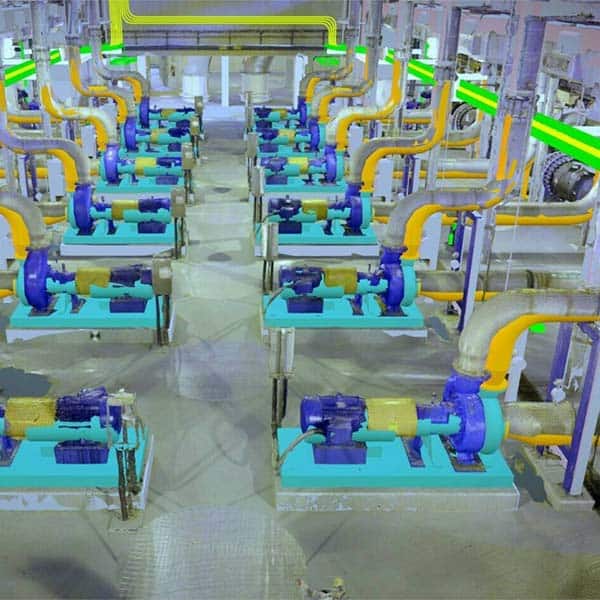
New Pump Station to Reduce Yangtze River Flooding
ProjectWise seamlessly connected all project participants, improving collaborative efficiency by 25%.
Mott MacDonald/SYSTRA
High Speed Two Sectors
ProjectWise helped connect 1,850 users and organize over 61,000 design files, creating a single source of truth to capture design risks and remediate.
Licensing and Subscription options
Choose What is Right for You
One-year license with training
Virtuoso Subscription – A popular choice for small and medium-sized businesses
Get access to software that comes with training – fast! Bentley’s eStore, Virtuosity, offers a convenient way to lease a 12-month license of Bentley software for a low, upfront cost. Every online purchase through Virtuosity comes as a Virtuoso Subscription that includes training and auto-renewals.
With no contract required, it’s easy to get started quickly.
Enterprise Organizations
We’ve got your back
For larger organizations with in-depth requirements, we offer plans to provide global pricing and access to our comprehensive portfolio of solutions and success plan services. Contact us about how to get access to software, global best practices, implementation services, training, and technical support to help your organization realize its full potential while addressing your unique needs.

